
IDOC Custody Records
IDOC keeps a statewide locator for people held in its correctional system. It is the official place to check a state custody profile. A county sheriff's jail roster serves a different role. It tracks local bookings. An Indiana arrest by itself does not place anyone in the state system. State custody arrives later in the process. The booking record starts at local intake. That first record belongs to the local agency. A search that comes up empty has several explanations. The person may still sit in county custody, or they may already be free. A name or identifier could also differ from your search terms. The locator does not list every arrest, charge, or jail booking in Indiana. Begin at the IDOC Offender Locator page, which links to the live database. Pick the record type that fits your question. An IDOC profile shows custody and sentence data, not every event in a court case. For the legal outcome, turn to the court record.
Search IDOC Mugshots
The search form is titled "Indiana Incarcerated Database Search." The official IDOC locator gives you two paths. One takes a last name alone, or first and last together. The other takes a DOC number, up to eight characters. A known DOC number narrows things fast. Without one, add a first name. That helps separate people who share a surname. Each result row lists name, DOC number, date of birth, sex, and facility.
The IDOC incarcerated-person locator shows the separate name and DOC-number fields. Those fields are used for a statewide custody search.
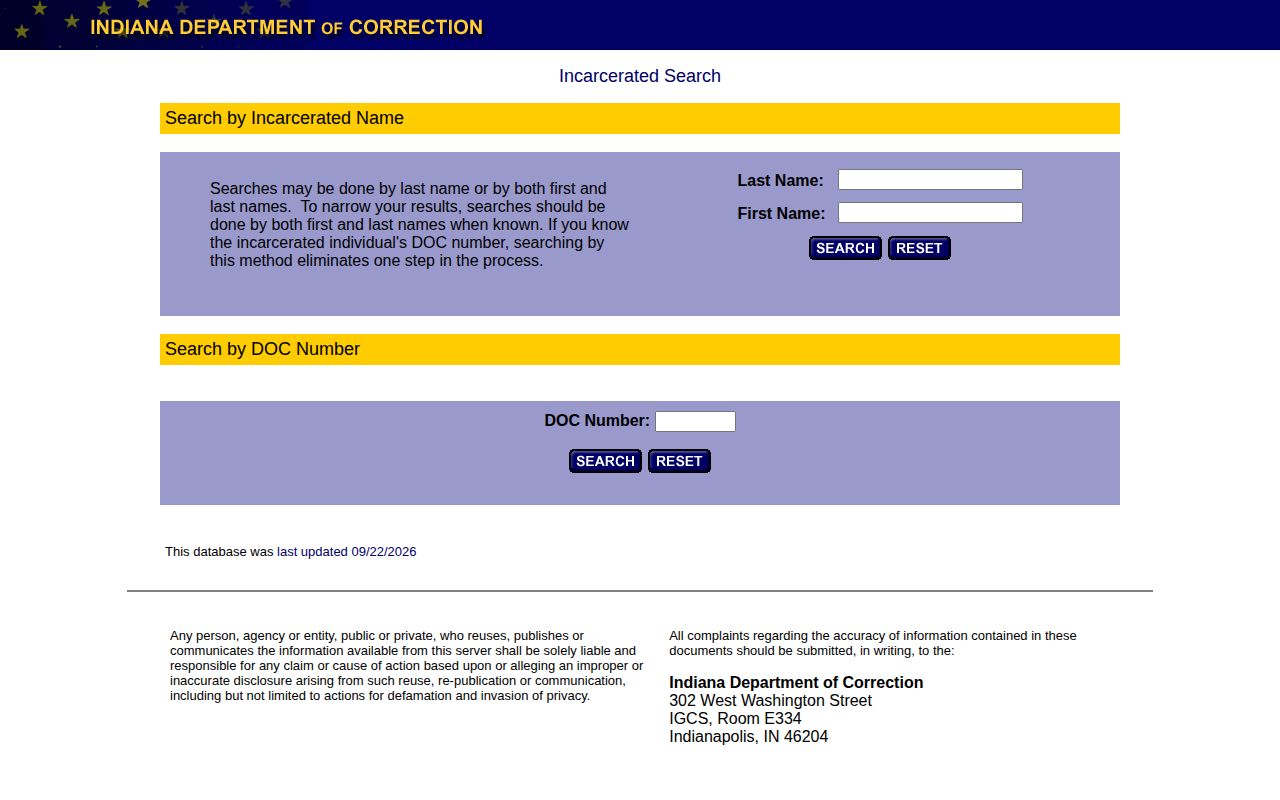
Pick the likely row, then open the profile. The public pages display text fields rather than an offender photo. That does not mean IDOC lacks a photo on file.
- Open the official locator from IDOC. Use the government link, not a copied result from a third-party page.
- Enter the last name. Add the first name to narrow a match. Leave uncertain details blank instead of guessing.
- Enter a known DOC number in its separate field. The limit is eight characters.
- Review the name, DOC number, date of birth, sex, and facility or location. Do not rely on a name alone.
- Open the profile. Read its custody, sentence, and release fields. Compare case details with the court docket.
- Check the official profile for a photo. If none appears, ask IDOC for the specific mugshot or identification photo.
The search page states its own update date, shown as a "last updated" stamp. That date reflects the database, not each profile. Recent custody events may not appear yet.
What IDOC Profiles Show
The row and the profile show different details. The row helps you find the right entry. The profile carries custody and sentence information, plus case references and links. Public pages change over time, so treat this as the layout on display rather than a guarantee for every entry.
| Field | What the sampled locator showed |
|---|---|
| Name and DOC number | The person’s displayed name and state DOC identifier. |
| Date of birth | The results row showed a date of birth; the profile showed birth month and year. |
| Sex and descriptors | The row included sex, while the profile included physical descriptors. |
| Facility or location | The current facility or listed location associated with the profile. |
| Sentence and offense | Sentence information and the offense tied to the state record. |
| Case references | Committing county and cause number, which can help locate the court case. |
| Release information | Earliest possible release information and a projected release field. |
| Other links and comments | A victim-custody-notification link and a comments field. |
| Photo | No image appeared in the sampled result or profile HTML; photo display is not assured. |
Read the profile as a state custody summary. The DOC number is your best match point, since more than one person can share a name. The committing county and cause number point toward a court matter, though they are not the full docket. "Earliest possible release" and "projected release" are separate labels, and neither means someone has left custody. Status can shift after the listed update date. The victim-custody-notification link is its own resource, not a photo link. A committing county and cause number can lead you to the local court file, where the docket shows how a charge ended. Older cases and documents may not all appear online. MyCase offers a separate view of public, non-confidential cases, with dockets and outcomes. It will not give the state's current custody location. Use each system for its own purpose. Compare person and case identifiers before matching entries.
Note: The public locator is a changing status tool, so check any displayed field against its source when a current answer matters.
Why IDOC Photos May Be Missing
An Indiana offender profile can come back as plain text, with no photo anywhere in the result. The locator page simply works that way. A missing image is not a missing record. IDOC may still hold an intake or identification photo on file. The agency's interview and media guidance says basic information that may be released includes a mugshot or an identification photo. It also lists age, birth month and year, physical description, sex, sentencing county, crime, sentence, transfers, and the earliest possible release date. Outside court actions, work assignment, injury, and prior incarceration are named too. Nothing on the list is promised. Every request goes through a review. Medical and juvenile history stay restricted, and some images require written permission before release. Name the exact record you want. Then allow time for a disclosure decision. A photo that never appears online can still be requestable.
Indiana's Access to Public Records Act counts photographs among its public records. Access still turns on the record held and any exception. A custodian may withhold an investigatory record at discretion. Any denial should state its legal basis. A blank locator profile is neither a denial nor proof that no photo exists. The Indiana Public Access Counselor's guide to warrants and mugshots adds that APRA covers records an agency maintains, not records it would have to create. So request one specific photo. Name the person and the likely custodian. If access is refused, ask for the reason and the statute behind it. That answer is worth having in writing. The state photo layer has two parts. The public profile is text. Guidance says a mugshot or ID photo may be releasable after review. A photo can sit outside public view yet remain available on request.
IDOC Versus County Photos
A state prison photo and a county booking photo can show the same face. They come from different points in the process. The sheriff or jail keeps the local booking record, while IDOC keeps state custody information. Ask each agency separately.
| Record layer | What it answers | Starting source |
|---|---|---|
| County booking | Local arrest intake, booking details, and a county-held photograph when one exists and can be released. | The sheriff or jail that made or holds the booking record. |
| IDOC profile | State correctional custody, facility or location, sentence information, and related state profile details. | The official IDOC offender locator. |
| State photo request | A specific IDOC mugshot or identification photo, subject to agency review. | IDOC’s public-record or offender-record request route. |
Indiana keeps no single county roster. Every county can take a different route. The Indiana County Directory leads to the page for the county where the arrest happened. Ask that sheriff or jail about its booking image. A person can move from county custody into state prison, and the IDOC profile will show current state custody while the county keeps the original booking record.
For court questions, the MyCase public case search shows a case and its status. But MyCase is not a prison roster. It holds no booking photos at all.
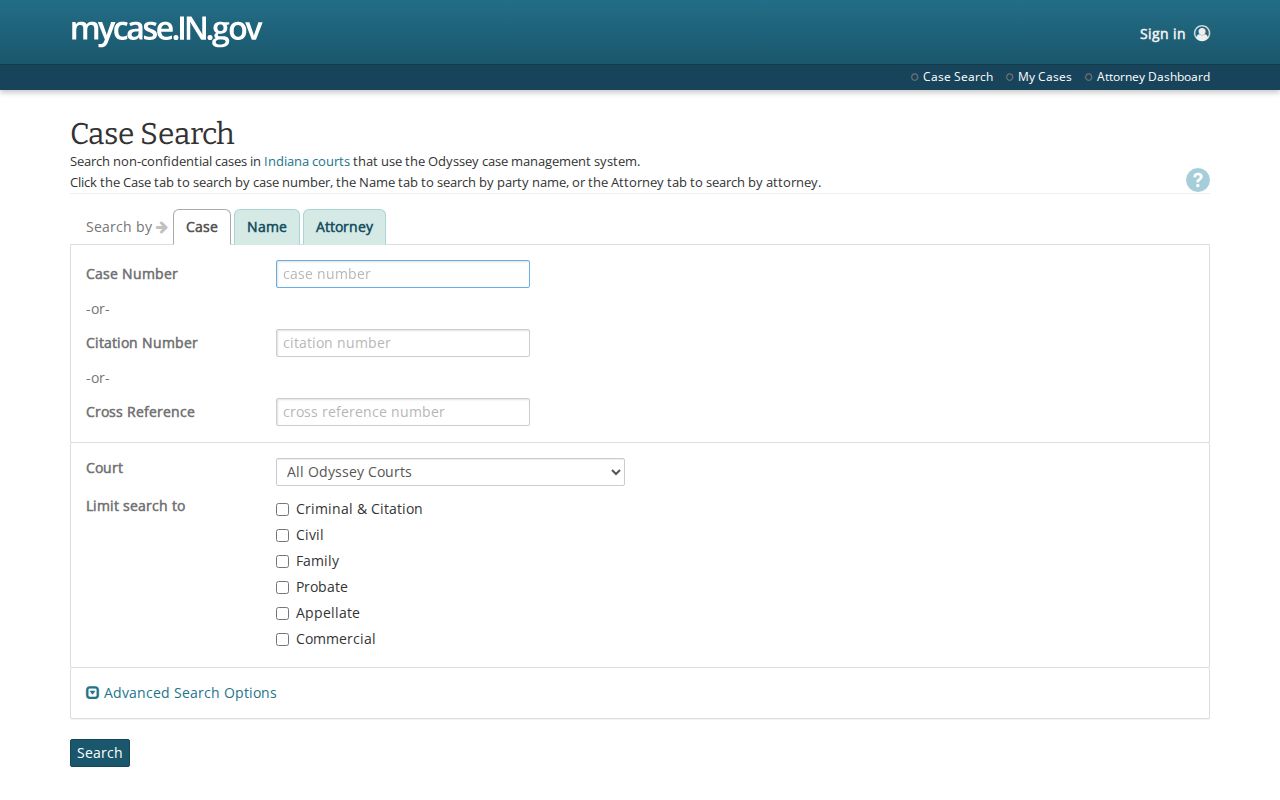
Use the docket to confirm a court outcome and the IDOC locator to check state custody. Neither replaces asking the photo's custodian.
Request an IDOC Photo
IDOC points general public-record requests to the Access Indiana DOC APRA portal, where a request can be filed and tracked. Name the exact record. Give the person's name or DOC number. Add a known date or event. A focused request routes faster than a demand for an entire file. For a photo, say whether you want the intake mugshot or an identification photo. Include the custody date if known. Ask for electronic delivery where it exists. APRA covers records the agency already keeps, so IDOC need not create a new photo set. If IDOC lacks the county intake image, the request belongs with the sheriff or jail that took it.
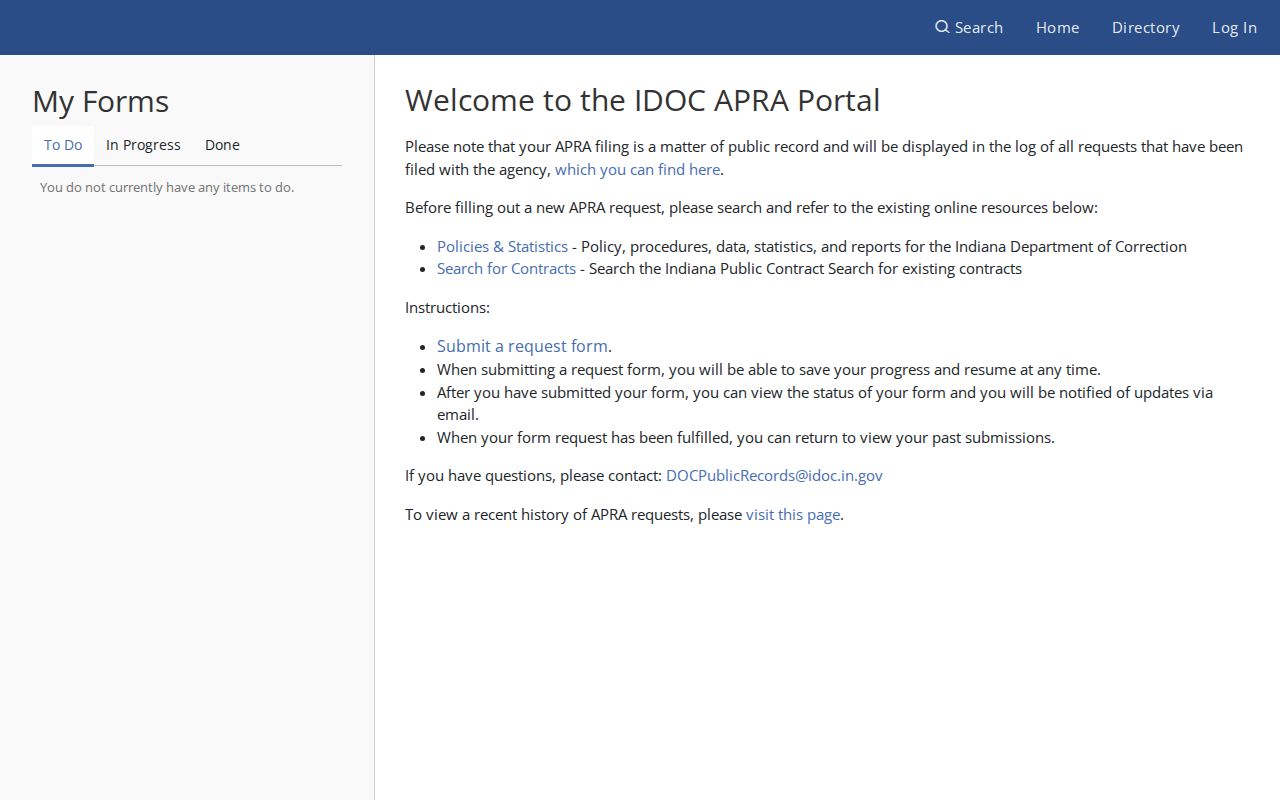
The portal handles requests, not browsing. It is no searchable photo roster. For an offender-specific file or photo, follow IDOC's Offender Records instructions and email coaoffenderrecordrequest@idoc.in.gov with the name or DOC number in the subject line. A full offender-file request uses Authorization of Release Form SF 46729. A single-photo request can simply name that image and its date. The records page also lists a mail route.
- Use the APRA portal for a general agency record. Use Offender Records for a named person.
- Name the exact item: intake photo, identification photo, custody history, or a specific document.
- Give the person’s name or DOC number and any known date. Put the name or number in the email subject.
- Use SF 46729 for a full offender file. Follow IDOC’s route and wait for disclosure review.
Mail requests go to IDOC Offender Records Request, 302 W. Washington Street, Room E-334, Indianapolis, IN 46204. Basic information may be released under IDOC guidance. Other images may need written permission. Medical and juvenile details stay restricted. The cited pages set no photo-specific fee or response time, so assume neither. If a request is denied, ask why. Note: Name the record and the person clearly, since the state photo and the county booking image may sit with different agencies.
Former IDOC Profiles
Released people sometimes linger in the locator. One entry read “Returned to court authority on release.” Status details can stay visible long after someone walks out. That habit promises nothing, though. If a record disappears from search results, IDOC can explain what happened.
Photos follow no published schedule. IDOC posts no deletion rule or update cadence for images. The locator shows a status and a database update date, and neither field reveals when the picture was taken or whether a newer one exists. A release or transfer changes custody details. That still says nothing about an image's online lifespan.
Indiana does have one fixed rule for older files. Ten years after release or death, eligible DOC records move to the State Archives under the Indiana Archives and Records Administration. Even that rule leaves online photos untouched. Current custody questions belong with IDOC. For transferred holdings, the IARA Department of Correction holdings page is the place to look.
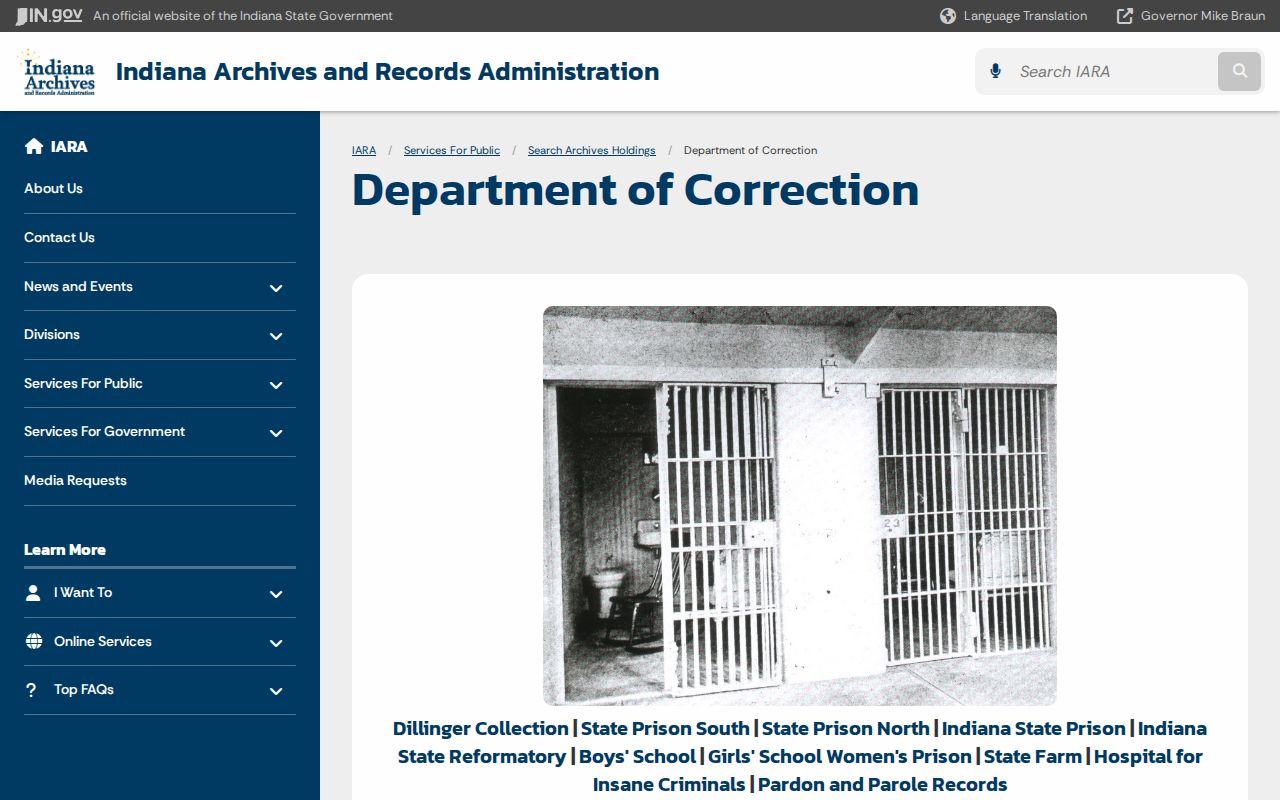
That page holds historic prison material. A transfer does not preserve every modern profile. Note: Archival custody and search visibility are separate questions, and the ten-year transfer rule sets no limit on a photo's online lifespan.
IDOC Reports Are Not Feeds
IDOC counts its system two ways. It publishes offender population reports and adult-release reports. One tracks people held in correctional settings across Indiana. The other summarizes people leaving adult custody. Both give statewide custody context, and each states a clear scope and period. Neither counts every Indiana arrest. Neither is a person-by-person photo feed or a daily county booking log. Read the stated scope before comparing totals, or the numbers will mislead you.
For one person, skip the reports. Use the locator and check the profile's date and status fields. An arrest photo belongs to the sheriff or jail that holds the local intake record. A state-prison photo goes through IDOC's request route instead. Name the exact image you want either way.
Note: Population and release totals describe correctional activity at a stated scope; they are not arrest counts or a photo archive.